
Creating an effective presentation is not just about adding text to slides. A successful presentation requires planning, storytelling, visual design, and a clear understanding of the audience. Whether it is a business pitch, academic project, training session, or marketing proposal, creating professional slides can take significant time and effort.
An AI PowerPoint generator is changing the way people approach presentation creation. Instead of spending hours designing layouts and organizing information manually, users can now transform simple ideas into structured presentations with the help of artificial intelligence. These tools assist with content planning, slide design, formatting, and visual improvements, making the entire process faster and more accessible.
The Evolution of Presentation Creation
Presentations have evolved significantly over the years. In the past, creating slides required advanced design skills and extensive manual work. Users had to choose templates, write content, create charts, find images, and adjust every element individually.
Modern presentation creation focuses more on communication and less on technical formatting. AI-powered tools support this shift by handling repetitive design tasks and helping users focus on delivering meaningful information.
The goal is no longer just to create attractive slides but to create presentations that effectively communicate ideas.
See also: 7 Home Cold Plunges Compared Side by Side
What Is an AI PowerPoint Generator?
An AI PowerPoint generator is a digital tool that uses artificial intelligence to help users create presentations automatically. It can convert a simple idea, written description, document, or research material into a structured slide deck. By analyzing information and identifying important patterns, AI-powered tools can assist users in organizing content, improving slide structure, and creating more efficient presentation workflows.
These tools typically assist with:
- Generating presentation outlines
- Creating slide titles
- Summarizing information
- Suggesting visuals
- Applying design layouts
- Improving readability
- Organizing complex topics
Instead of beginning with an empty presentation file, users can start with an idea and allow AI to create a foundation that can later be customized.
Turning Simple Ideas Into Complete Presentations
One of the biggest challenges in presentation creation is converting a broad idea into a clear structure. Many people know their topic but struggle with deciding what information to include and how to arrange it.
An AI PowerPoint generator helps solve this problem by breaking ideas into logical sections.
For example, if a user enters a topic about digital marketing strategies, AI can help create sections such as:
- Introduction to digital marketing
- Current trends
- Important strategies
- Examples
- Benefits
- Future opportunities
This approach helps transform unorganized thoughts into a professional presentation structure.
How AI PowerPoint Generators Create Slides
AI presentation tools generally follow several steps to produce a slide deck.
Understanding User Input
The process starts when users provide information. This can include:
- A topic
- A short description
- A document
- Research notes
- A business plan
- A project summary
The AI analyzes the information to understand the purpose and context.
Creating a Presentation Outline
After understanding the topic, AI develops a logical sequence of slides. It identifies important sections and creates a flow that guides the audience from introduction to conclusion.
Generating Slide Content
AI can create concise text suitable for presentations. Instead of copying long paragraphs, it converts information into shorter points that are easier to read.
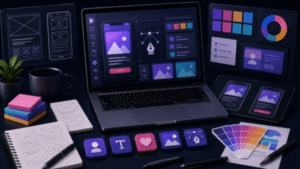
Applying Visual Design
AI tools can suggest:
- Layout styles
- Images
- Icons
- Charts
- Color combinations
- Typography options
This allows users to create visually balanced presentations without spending excessive time on design.
Refining the Final Presentation
The generated presentation serves as a starting point. Users can edit content, add personal examples, adjust branding, and make changes based on their specific goals.
Why Businesses Use AI Presentation Tools
Businesses often need presentations for communication, decision-making, and collaboration. Creating these materials manually can slow down workflows.
AI PowerPoint generators help businesses prepare:
- Sales presentations
- Marketing reports
- Strategy documents
- Training materials
- Client proposals
- Internal updates
By reducing design-related tasks, teams can focus more on analysis, planning, and communication.
How Students and Educators Benefit From AI Presentations
Education is another area where AI presentation tools can provide support.
Students can use AI to organize:
- Research projects
- Class presentations
- Seminar topics
- Academic summaries
Teachers can create:
- Lesson materials
- Training slides
- Educational resources
AI helps simplify preparation, allowing educators and learners to focus more on understanding the subject rather than spending excessive time on formatting.
AI Improves Presentation Design Without Design Skills
Design plays an important role in keeping audiences engaged. However, many people struggle with choosing appropriate layouts, fonts, and visual elements.
An AI PowerPoint generator helps overcome this challenge by applying design principles automatically.
It can improve:
Visual Consistency
AI maintains similar styles across slides, including fonts, spacing, and formatting.
Content Balance
AI can help prevent slides from becoming overcrowded by suggesting shorter text and better organization.
Professional Appearance
Even users without graphic design experience can create presentations with a polished appearance.
The Role of Human Creativity in AI-Assisted Presentations
Although AI can automate many tasks, human creativity remains essential. A strong presentation requires more than well-designed slides.
Human input is important for:
- Adding personal experiences
- Understanding audience needs
- Creating emotional connections
- Explaining complex ideas
- Delivering the presentation effectively
AI works best as a creative assistant rather than a replacement for human thinking.
Best Practices for Using an AI PowerPoint Generator
To get better results from AI presentation tools, users should follow a few important practices.
Provide Detailed Instructions
A clear prompt produces better results. Include details such as:
- Target audience
- Presentation purpose
- Preferred style
- Number of slides
- Important points to include
Review Generated Information
AI-generated content should always be checked before use. Reviewing helps identify missing information, unclear statements, or areas that need improvement.
Customize the Design
Personalizing slides with company branding, unique visuals, and relevant examples creates a stronger connection with the audience.
Keep Slides Simple
A professional presentation should communicate ideas clearly. Avoid adding too much information to individual slides.
Common Challenges of AI-Generated Presentations
While AI presentation tools offer many benefits, users should understand their limitations.
Lack of Personal Context
AI may not fully understand specific business situations, audience expectations, or personal experiences without proper instructions.
Need for Human Review
AI-generated content can require editing to ensure accuracy, clarity, and relevance.
Overdependence on Automation
Using AI does not remove the need for presentation skills. Effective communication still depends on preparation and delivery.
The Future of AI PowerPoint Generators
The future of AI presentation creation is expected to become more advanced. Emerging technologies may allow AI tools to provide:
- More personalized designs
- Automatic presentation improvements
- Interactive slide experiences
- Real-time suggestions during editing
- Advanced data visualization
- Voice-controlled presentation creation
As artificial intelligence continues to improve, presentation creation will likely become faster and more personalized.
Frequently Asked Questions (FAQs)
What is an AI PowerPoint generator?
An AI PowerPoint generator is a tool that uses artificial intelligence to help create presentation slides automatically from ideas, documents, or written instructions. It assists with content organization, design, and formatting.
How does an AI PowerPoint generator simplify presentation creation?
It simplifies presentation creation by automating tasks such as slide planning, content generation, layout selection, and design formatting. This reduces the time needed to create professional presentations.
Can AI create presentations from a simple idea?
Yes, many AI presentation tools can transform a basic idea or topic into a structured presentation by creating slide sections, summaries, and design suggestions.
Are AI-generated PowerPoint presentations editable?
Yes, AI-generated presentations can usually be edited. Users can change text, images, layouts, colors, and other elements according to their requirements.
Who should use an AI PowerPoint generator?
AI PowerPoint generators are useful for students, teachers, business professionals, marketers, entrepreneurs, and anyone who regularly creates presentations.
Does AI replace presentation designers?
No. AI helps automate repetitive design tasks, but human creativity, storytelling, and decision-making remain important for creating impactful presentations.
Can AI PowerPoint generators improve productivity?
Yes. These tools reduce the time spent on formatting and organizing slides, allowing users to focus more on content quality and presentation delivery.
Are AI-generated presentations suitable for professional use?
Yes, AI-generated presentations can be suitable for professional use when they are reviewed, customized, and adjusted according to business or audience requirements.
Conclusion
An AI PowerPoint generator has changed the way people create presentations by making the journey from ideas to slides faster and more efficient. These tools help users organize thoughts, generate content, improve designs, and create professional presentations without requiring advanced technical skills.
However, the most effective presentations combine artificial intelligence with human creativity. AI provides speed, structure, and design assistance, while people add strategy, experience, and meaningful communication.
As AI technology continues to develop, presentation creation will become easier, allowing more people to turn their ideas into engaging and impactful slides.