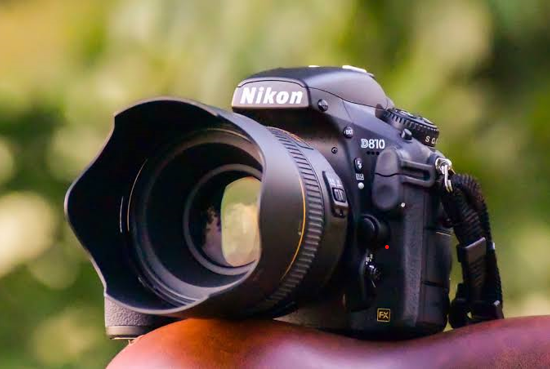

DSLR and mirrorless cameras have become serious video tools – the same body that shoots stills records 4K footage, and hybrid shooters rely on them for client work, weddings, and independent film. When video footage disappears from a DSLR or mirrorless card, the loss is measured in hours of shooting and thousands of dollars of work.
The good news: camera video recovery works. Footage stays on the card until overwritten, and the right tool can rebuild even fragmented high-resolution clips.
Why Camera Video Is Recoverable – and Why It Is Hard
Camera video files are large. A 4K clip is split into fragments stored across the card, and when it is deleted, those fragments become disconnected free space. Two things make recovery possible:
- The data is not erased. Deletion removes the file system reference, not the video data.
- Video files have signature headers. Deep scans can find each fragment and reassemble the clip.
The difficulty is fragment matching. A tool that only looks for continuous files fails on video. You need one that scans for fragments, collects them, and matches them back into complete files.
See also: How Handbag Straps Extend the Life and Versatility of Your Bags
Step-by-Step: Recover Videos from a DSLR or Mirrorless Camera
Step 1 – Remove the Card and Stop Recording
Take the card out of the camera. Do not record anything else on it – every new clip overwrites deleted footage. Connect the card with a reader rather than the camera.
Step 2 – Scan with Recoverit
Wondershare Recoverit handles camera footage, including professional codecs like XAVC S and HEVC, with Enhanced Recovery for fragmented high-resolution video.
- Launch Recoverit and click SD Card Recovery.
2. Select the card and click Scan.
3. For lost or fragmented footage, use Enhanced Recovery – it was built for HD, UHD, and 4K video from cameras.
Step 3 – Preview and Recover
Filter by video type and preview the clips – Recoverit plays video previews so you can confirm footage before saving. Select your files and click Recover, saving them to a different drive than the card.
Why Enhanced Recovery Matters for Camera Video
Camera video is often the hardest footage to recover: it is large, high-resolution, and fragmented. Recoverit’s Enhanced Recovery uses a patented fragment scan-collect-match process designed for exactly this:
- Scan the card for every video fragment by signature.
- Collect the fragments that belong to the same clip.
- Match them back into complete, playable video.
The video recovery module covers the footage side, and the platform as a whole is built for professional media recovery.
What If a Clip Won’t Play After Recovery?
A recovered clip that will not play has a damaged structure, not lost data. Recoverit’s video repair rebuilds MOV, MP4, MKV, MTS, and other formats – and Advanced Repair can rebuild severely damaged files using a sample clip from the same camera.
Camera Codecs: Why the Tool Has to Know Them
Camera video is not a single format, and the codec determines whether recovery succeeds:
- XAVC S – Sony’s high-bitrate format for 4K recording; fragmented and demanding.
- HEVC/H.265 – used by newer Canon, Sony, Nikon, and Panasonic bodies; efficient but hard to recover without codec awareness.
- ProRes – Apple’s professional codec, used by some mirrorless bodies and external recorders; large, so fragment-heavy.
- H.264/AVC – the long-standing standard, still common in 1080p and older 4K modes.
- All-Intra vs. Long-GOP – All-Intra frames are self-contained and recover better; Long-GOP compresses across frames, so a lost fragment can damage several frames.
This is why codec support is not a nice-to-have feature. A recovery tool that does not understand XAVC S or HEVC will scan the card and return nothing – the files are there, but unrecognized.
Multichannel Audio and Camera Video
Professional shoots often record audio separately, but camera-internal audio complicates recovery in a subtle way:
- Audio is mixed into the video file- When a video is recovered, the audio track must also be rebuilt – a clip that plays but has no audio is a partially recovered file.
- Long clips are chaptered – Many cameras split long recordings into multiple files (often at 4GB boundaries). Recovering all chapters matters, because a missing chapter creates a gap in the footage.
Recoverit’s video repair rebuilds audio tracks along with video, and Enhanced Recovery reassembles chaptered recordings as complete files. If one chapter is missing after recovery, re-scan with the deep scan before assuming it is gone.
Preventing Camera Video Loss
- Back up footage after every shoot – Copy to a computer or SSD the same day.
- Use the right card – High-bitrate 4K needs fast, quality cards – slow cards corrupt.
- Don’t fill the card to the last byte – Leave headroom for the cameras write operations.
- Format in the camera, not the computer – Match the camera’s file system.
- Keep a sample clip from each camera – Advanced Repair depends on it.
Conclusion
DSLR and mirrorless video is recoverable – the footage stays on the card until overwritten, and fragment-aware recovery rebuilds even 4K clips. Remove the card, stop recording, and scan with a tool built for camera video. With Wondershare Recoverit, you can recover DSLR videos with Enhanced Recovery for XAVC S and HEVC footage – then repair any clip that comes back damaged. The shoot is still on that card, and it is worth the recovery.